> For the complete documentation index, see [llms.txt](https://docs.aspis.finance/llms.txt). Markdown versions of documentation pages are available by appending `.md` to page URLs; this page is available as [Markdown](https://docs.aspis.finance/step-by-step-guids/for-investors/joining-a-vault.md).
# Joining a Vault
Access lucrative investment opportunities with ease
#### **Step 1: Visit the Aspis V2 Platform**
a. Go to [Aspis V2](https://v2.aspis.finance/)
b. **Connect Your Wallet**:
* Use a **Web3 wallet** (e.g., **MetaMask, WalletConnect**).
* Ensure you have sufficient funds in your wallet for investment.
#### **Step 2: Explore Available Investment Vaults**
a. Browse the available **decentralized funds** and explore their strategies.
b. Click on the **“Explore All Vaults”** button at the bottom of the page to view the full list.
c. Select a **Vault** that aligns with your investment goals and risk tolerance.
#### **Step 3: Review Vault Details & Invest**
a. Click on your selected Vault to view its **strategy, investment terms, asset allocation, fees, and accepted currencies**.
b. Once you've chosen, click **“Deposit”**.
c. Choose your preferred **cryptocurrency** for the deposit.
d. Enter the **amount** in the designated field.
e. Click **“Approve”**, then confirm the transaction in your Web3 wallet (e.g., Metamask, WalletConnect).
f. Wait for the transaction confirmation. You will receive a notification once your deposit is successful.
#### **Step 4: Monitor Your Investment**
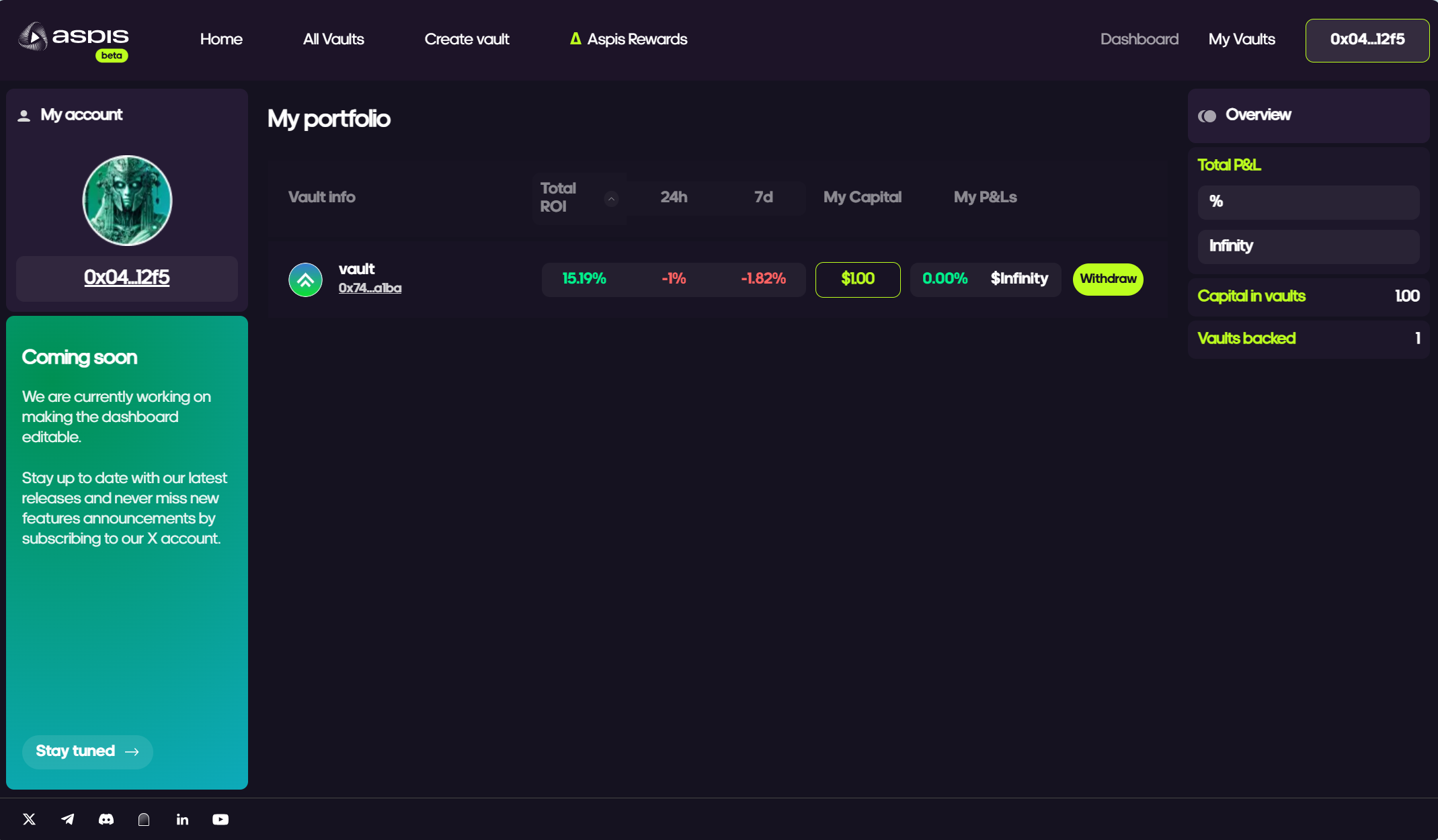
a. Navigate to the **Dashboard** to track your investment performance.
b. Stay informed about your Vault’s performance and updates.
c. Participate in any governance decisions if applicable.